background
How To Add Hover Menu Style Feature to Blogger Links
1.Login to your blogger dashboard. 2.Go to Layout- -> Edit HTML 3.Scroll down to where you see <head> tag : 4.Now add below code immediately…
1.Login to your blogger dashboard. 2.Go to Layout- -> Edit HTML 3.Scroll down to where you see <head> tag : 4.Now add below code immediately…
This script will prompt the user to enter his/her name, and remember and display it whenever the user returns. 1.Login to your dashboard--> layout- ->Page…
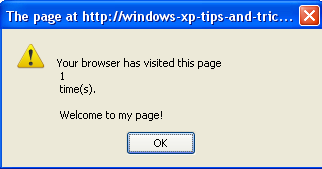
This script keeps track of the number of times a surfer has visited your page, and alerts the surfer of this info. 1.Login to your…
The below script uses cookies to display the number of times a (each) user has visited your page. 1.Login to your dashboard--> layout- ->Page Elements…
This script records the date+time of your visitor's last visit and displays it upon their return. If this is their first visit to your site,…
1.Log in to your dashboard--> layout- -> Edit HTML 2.Scroll down to where you see </head> tag. 3.Now add below code before </head> tag. <script…
1.Log in to your dashboard--> layout- -> Edit HTML 2.Scroll down to where you see </head> tag. 3.Now copy below code and paste it right…
1.Log in to your dashboard--> layout- ->Page Elements 2.Click on 'Add a Gadget' on the sidebar. 3.Select 'HTML/Javascript' and add the code given below and…
1.Log in to your dashboard--> layout- ->Page Elements 2.Click on 'Add a Gadget' on the sidebar. 3.Select 'HTML/Javascript' and add the code given below and…
If you want to add FadeIn and FadeOut effect to your blog, follow the steps below. 1.Log in to your dashboard--> layout- ->Page Elements 2.Click…
Follow the easy steps below to add Slide up and Slide down Effect to your blog. 1.Log in to your dashboard--> layout- ->Page Elements 2.Click…
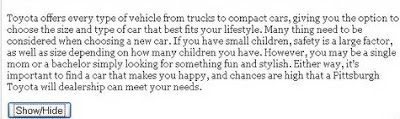
If you want to add hide and show effect to your blog, follow the steps below. 1.Log in to your dashboard--> layout- ->Page Elements 2.Click…