Blogger
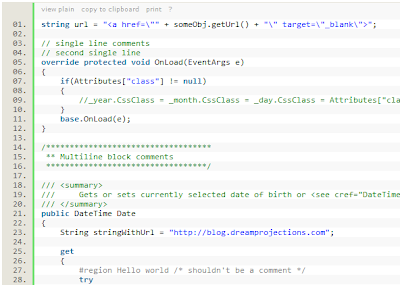
How To Add Syntax Highlighter to Blogger
1.Login to your blogger dashboard--> layout- -> Edit HTML 2.Scroll down to where you see ]]></b:skin> tag . 4.Copy below code and paste it just…
1.Login to your blogger dashboard--> layout- -> Edit HTML 2.Scroll down to where you see ]]></b:skin> tag . 4.Copy below code and paste it just…
1.Login to your blogger dashboard--> layout- -> Edit HTML 2.Scroll down to where you see ]]></b:skin> tag . 3.Copy below code and paste it just…
1.Login to your blogger dashboard--> layout- -> Edit HTML 2.Scroll down to where you see </head> tag . 3.Copy below code and paste it just…
1.Login to your blogger dashboard--> layout- -> Edit HTML 2.Click on "Expand Widget Templates" 3.Scroll down to where you see </head> tag . 4.Copy below…
Use below codes to add Popup Boxes to your blog post or as a page element. Alert Box Code: <script type="text/javascript">function show_alert(){alert("YOUR MESSAGE HERE!")}</script><input type="button"onclick="show_alert()"value="Show…
1.Login to your blogger dashboard--> layout- -> Edit HTML 2.Click on "Expand Widget Templates" 3.Scroll down to where you see <p><data:post.body/></p> . 4.Copy below code…
1.Login to your blogger dashboard and go to Layout --> Page Elements. 2.Click on 'Add a Gadget' on the sidebar. 3.Select 'HTML/Javascript' and add the…
1.Login to your blogger dashboard and go to Layout --> Page Elements. 2.Click on 'Add a Gadget' on the sidebar. 3.Select 'HTML/Javascript' and add the…
1.Login to your blogger dashboard and go to Layout --> Page Elements. 2.Click on 'Add a Gadget' on the sidebar. 3.Select 'HTML/Javascript' and add the…
1.Login to your blogger dashboard and go to Layout --> Page Elements. 2.Click on 'Add a Gadget' on the sidebar. 3.Select 'HTML/Javascript' and add the…
1.Login to your dashboard--> layout- -> Edit HTML 2.Scroll down to where you see ]]></b:skin> tag. 3.Now copy below code and paste it before ]]></b:skin>…
1.Login to blogger dashboard-->Layout > Page Elements 2.Click on 'Add a Gadget'. 3.Select 'HTML/Javascript' and add the code given below and click save. <script type="text/javascript">var…