Blogger
How To Add Subscribe Link Below Each Post
1.Log in to your dashboard--> layout- -> Edit HTML 2.Click on "Expand Widget Templates" 3.Scroll down to where you see ]]> tag. 4.Now add below…
1.Log in to your dashboard--> layout- -> Edit HTML 2.Click on "Expand Widget Templates" 3.Scroll down to where you see ]]> tag. 4.Now add below…
1.Login to your blogger dashboard--> layout- -> Edit HTML 2.Scroll down to where you see </head> tag . 3.Copy below code and paste it just…
1.Log in to your dashboard--> layout- -> Edit HTML 2.Click on "Expand Widget Templates" 3.Scroll down to where you see </head> tag. 4.Now add below…
Do you like to add a facebook widget to your blog?Then follow the step below. 1.Login to blogger dashboard-->Layout > Page Elements 2.Click on 'Add…
1.Log in to your dashboard--> layout- -> Edit HTML 2.Scroll down to where you see </head> tag. 3.Now copy below code and paste it right…
1.Sign up for a Google Analytics account using your existing google account information. 2.Next step google will ask you for website (your blog URL), account…
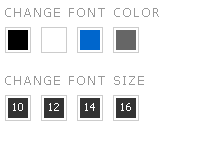
Add this useful widget to your blog to give your readers more options to increase their reading comfort. It allow us to change the text…
1.Log in to your dashboard--> layout- -> Edit HTML 2.Scroll down to where you see this: ]]></b:skin> 3.Now copy below code and paste it before…
When you add an image into your blog,it has a link(anchor link). When you click on the image, you will be directed on a page…
1.Log in to your dashboard--> layout- -> Edit HTML 2.Click on "Expand Widget Templates" 3.Scroll down to where you see </head> tag. 4.Now add below…
1.Log in to your dashboard--> layout- ->Page Elements 2.Click on 'Add a Gadget' on the sidebar. 3.Select 'HTML/Javascript' and add the code given below and…
1.Log in to your dashboard--> layout- ->Page Elements 2.Click on 'Add a Gadget' on the sidebar. <select id="Select1"onchange="window.open(this.options[this.selectedIndex].value,'_blank');this.options[0].selected=true" style="width: 100%; " class="text_noresize" name="select"><option selected="selected">Choose A…