gadget
How To Add Google Backlinks Checker
1.Login to your dashboard--> layout- ->Page Elements 2.Click on 'Add a Gadget' on the sidebar. 3.Select 'HTML/Javascript' and add the code given below and click…
1.Login to your dashboard--> layout- ->Page Elements 2.Click on 'Add a Gadget' on the sidebar. 3.Select 'HTML/Javascript' and add the code given below and click…
1.Login to your dashboard--> layout- ->Page Elements 2.Click on 'Add a Gadget' on the sidebar. 3.Select 'HTML/Javascript' and add the code given below and click…
1.Login to your dashboard--> layout- ->Page Elements 2.Click on 'Add a Gadget' on the sidebar. 3.Select 'HTML/Javascript' and add the code given below and click…
If you want to start showing all your top author’s name and the number of posts they have made in the sidebar,follow the easy steps…
1.Login to your dashboard--> layout- ->Page Elements 2.Click on 'Add a Gadget' on the sidebar. 3.Select 'HTML/Javascript' and add the code given below and click…
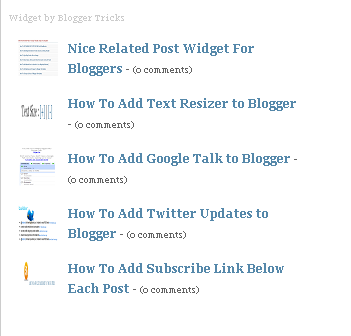
The Author of this nice widget is Bloggertricks.com. This is a great widget for bloggers. To add this nice widget to your blog follow this…
1.Log in to your dashboard--> layout- -> Edit HTML 2.Click on "Expand Widget Templates" 3.Scroll down to where you see </head> tag. 4.Now Add below…
1.Log in to your dashboard--> layout- -> Edit HTML 2.Click on "Expand Widget Templates" 3.Scroll down to where you see this : ]]></b:skin> 4.Add below…
1.Log in to your dashboard--> layout- -> Edit HTML 2.Click on "Expand Widget Templates" 3.Scroll down to where you see </head> tag. 4.Now add below…
Do you like to add a facebook widget to your blog?Then follow the step below. 1.Login to blogger dashboard-->Layout > Page Elements 2.Click on 'Add…
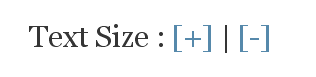
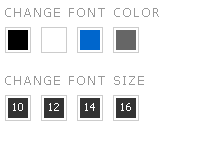
Add this useful widget to your blog to give your readers more options to increase their reading comfort. It allow us to change the text…
1.Log in to your dashboard--> layout- -> Edit HTML 2.Scroll down to where you see this: ]]></b:skin> 3.Now copy below code and paste it before…