Blogger
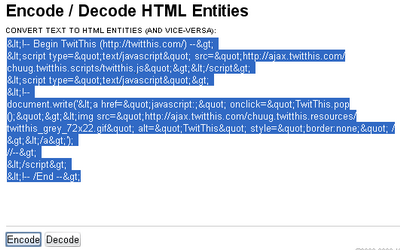
How To Add ‘TwitThis’ Button to Below your Each Blogger Post
1.Log in to your dashboard--> layout- -> Edit HTML 2.Click on "Expand Widget Templates" 3.Scroll down to where you see this: <p><data:post.body/></p> 4.Now copy below…
1.Log in to your dashboard--> layout- -> Edit HTML 2.Click on "Expand Widget Templates" 3.Scroll down to where you see this: <p><data:post.body/></p> 4.Now copy below…
1.Log in to your dashboard--> layout- -> Edit HTML 2.Scroll down to where you see this: ]]></b:skin> 3.Now add below code just above ]]></b:skin> tag.…
1.Log in to your dashboard--> layout- ->Page Elements 2.Click on 'Add a Gadget' on the sidebar. 3.Select 'HTML/Javascript' and add the code given below and…
This is a another different method from post How To Add Horizontal LinkList in Blogger 1.Log in to your dashboard--> layout- -> Edit HTML 2.Scroll…
1.Log in to your dashboard--> layout- -> Edit HTML 2.Scroll down to where you see this: </b:skin> 3.Now copy below code and paste it just…
This tools is very important to every blogger.When you put the video address and click Ok, embed code will appears in text box. 1.Log in…
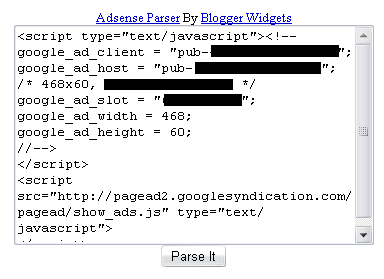
You must generate Parsed code for your adsense code because you cannot put adsense code directly in the xml.So parse it using Adsense Parser tools.This…
1.Log in to your dashboard--> layout- -> Edit HTML 2.Click on "Expand Widget Templates" 3.Scroll down to where you see this: <p><data:post.body/></p> 4.Copy below code…
1.Login to your dashboard--> layout- ->Page Elements 2.Click on 'Add a Gadget' on the sidebar. 3.Select 'HTML/Javascript' and add the code given below and click…
1.Login to your dashboard--> layout- ->Page Elements 2.Click on 'Add a Gadget'. 3.Select 'HTML/Javascript' and add the code given below and click save. <embed type="application/x-mplayer2"…
1.Login to your dashboard--> layout- ->Page Elements 2.Click on 'Add a Gadget' on the sidebar. 3.Select 'HTML/Javascript' and add the code given below and click…
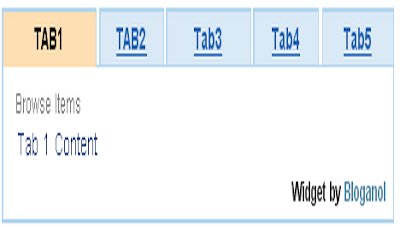
I found this nice tip in www.bloganol.com . 1.Login to your dashboard--> layout- ->Page Elements 2.Click on 'Add a Gadget' on the sidebar. 3.Select 'HTML/Javascript'…