Blogger
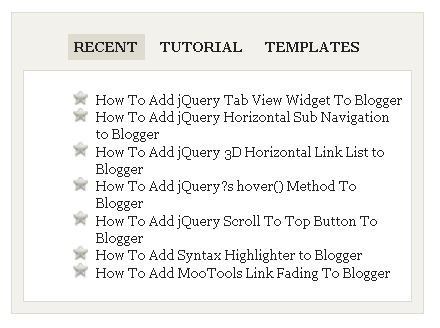
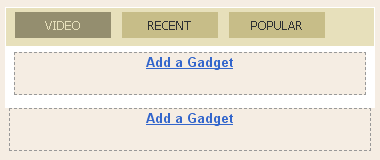
JQuery Multi TabView Widget Tutorial For Blogger
1.Login to your blogger dashboard--> layout- -> Edit HTML 2.Scroll down to where you see ]]></b:skin> tag . 3.Copy below code and paste it just…
1.Login to your blogger dashboard--> layout- -> Edit HTML 2.Scroll down to where you see ]]></b:skin> tag . 3.Copy below code and paste it just…
1.Sign up in http://www.emailmeform.com 2.Click on Create New Form 3.Create your contact us form using webform creation wizard 4.After creating your form, copy HTML CODE…
1.Login to your blogger dashboard--> layout- -> Edit HTML 2.Scroll down to where you see </head> tag . 3.Copy below code and paste it just…
1.Login to your blogger dashboard--> layout- -> Edit HTML 2.Scroll down to where you see this: ]]></b:skin> 3.Copy below code and paste it just after…
1.Login to your blogger dashboard--> layout- -> Edit HTML 2.Scroll down to where you see </head> tag . 3.Copy below code and paste it just…
1.Log in to your dashboard--> layout- -> Edit HTML 2.Scroll down to where you see </b:skin> tag. 3.Now copy below code and paste it just…
1.Login to your blogger dashboard--> layout- -> Edit HTML 2.Click on "Expand Widget Templates" 3.Scroll down to where you see </head> tag . 4.Copy below…
1.Login to your blogger dashboard--> layout- -> Edit HTML 2.Click on "Expand Widget Templates" 3.Scroll down to where you see <p><data:post.body/></p> . 4.Copy below code…
1.Login to your blogger dashboard--> layout- -> Edit HTML 2.Scroll down to where you see </head> tag . 3.Copy below code and paste it just…
1.Login to your blogger dashboard--> layout- -> Edit HTML 2.Don't Click on "Expand Widget Templates" 3.Scroll down to where you see ]]></b:skin> tag: 4.Copy below…
1.Login to your blogger dashboard--> layout- -> Edit HTML 2.Don't Click on "Expand Widget Templates" 3.Scroll down to where you see ]]></b:skin> tag: 4.Copy below…
1.Login to your blogger dashboard--> layout- -> Edit HTML 2.Don't Click on "Expand Widget Templates" 3.Scroll down to where you see ]]></b:skin> tag: 4.Copy below…