Blogger
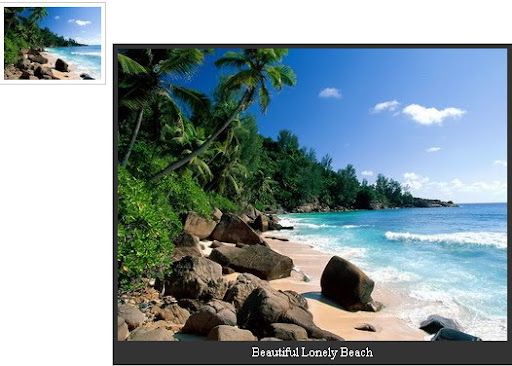
How To Add jQuery Image Preview With Caption to Blogger
1.Login to your blogger dashboard--> layout- -> Edit HTML 2.Scroll down to where you see </head> tag . 3.Copy below code and paste it just…
1.Login to your blogger dashboard--> layout- -> Edit HTML 2.Scroll down to where you see </head> tag . 3.Copy below code and paste it just…
1.Login to your blogger dashboard--> layout- -> Edit HTML 2.Click on "Expand Widget Templates" 3.Scroll down to where you see </head> tag . 4.Copy below…
1.Login to your blogger dashboard--> layout- -> Edit HTML 2.Scroll down to where you see </head> tag . 3.Copy below code and paste it just…
1.Login to your blogger dashboard--> layout- -> Edit HTML 2.Scroll down to where you see </head> tag . 3.Copy below code and paste it just…
1.Login to your blogger dashboard--> layout- -> Edit HTML 2.Scroll down to where you see </head> tag . 3.Copy below code and paste it just…
1.Login to your blogger dashboard--> layout- -> Edit HTML 2.Scroll down to where you see </head> tag . 3.Copy below code and paste it just…
1.Login to your blogger dashboard--> layout- -> Edit HTML 2.Scroll down to where you see </head> tag . 3.Copy below code and paste it just…
1.Login to your blogger dashboard--> layout- -> Edit HTML 2.Scroll down to where you see </head> tag . 3.Copy below code and paste it just…
1.Login to your blogger dashboard--> layout- -> Edit HTML 2.Scroll down to where you see </head> tag . 3.Copy below code and paste it just…
1.Login to your blogger dashboard--> layout- -> Edit HTML 2.Scroll down to where you see </head> tag . 3.Copy below code and paste it just…
1.Login to your blogger dashboard--> layout- -> Edit HTML 2.Scroll down to where you see </head> tag . 3.Copy below code and paste it just…
1.Login to your blogger dashboard--> layout- -> Edit HTML 2.Scroll down to where you see </head> tag . 3.Copy below code and paste it just…