Blogger
How To Change the Amount of Post When Click on Label
You can change maximum number of Posts When Click on Label. For example if you want to set maximum number of posts to 20 ,follow the…
You can change maximum number of Posts When Click on Label. For example if you want to set maximum number of posts to 20 ,follow the…
Scroll to top button is very useful for bloggers if their have long blogs.To Add "scroll to top" button to your blog ,follow the steps…
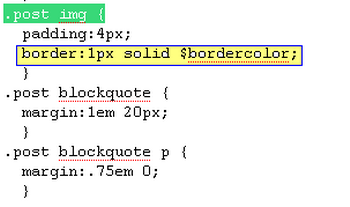
1.Log in to your dashboard--> layout- -> Edit HTML 2.Click on "Expand Widget Templates" 3.Scroll down to where you see this: .post img { 4.Now…
1.Log in to your dashboard--> layout- -> Edit HTML 2.Scroll down to where you see this: </head> 3.Now copy below code and paste it before…
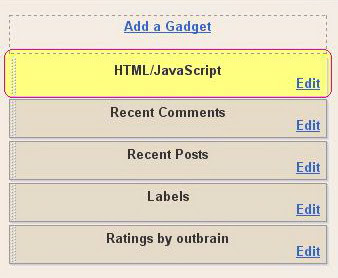
1.Log in to your dashboard--> layout- ->Page Elements 2.Click on Add a Gadget on the sidebar. select the type of gadget you need and Save…
1.Log in to your dashboard--> layout- ->Page Elements 2.Click on Add a Gadget on the sidebar. select the type of gadget you need and Save…
1.Log in to your dashboard--> layout- ->Page Elements 2.Click on Add a Gadget on the sidebar. select the type of gadget you need and Save…
1.Log in to your dashboard--> layout- -> Edit HTML 2.Click on "Expand Widget Templates" 3.Scroll down to where you see this:- <b:includable id='status-message'><b:if cond='data:navMessage'><div class='status-msg-wrap'><div…
NOTE: Instead of This Post Please Read This Post !!! 1.Log in to your dashboard--> layout- -> Edit HTML 2.Scroll down to where you see…
1.Log in to your dashboard--> layout- -> Edit HTML 2.Click on "Expand Widget Templates" 3.Scroll down to where you see this: <b:include data='post' name='post'/> 4.Replace…
1.Log in to your dashboard--> layout- -> Edit HTML 2.Click on "Expand Widget Templates" 3.Scroll down to where you see this: <b:if cond='data:blog.pageType == "item"'><style>.fullpost{display:inline;}</style><p><data:post.body/></p>…
1.Log in to your dashboard--> layout- -> Edit HTML 2.Click on "Expand Widget Templates" 3.Scroll down to where you see this: <div class='post-body entry-content'><data:post.body/><div style='clear:…