Blogger
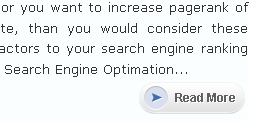
How To Replace Read More Text With Image
1.Log in to your dashboard--> layout- -> Edit HTML 2.Click on "Expand Widget Templates" 3.Now find "Read More" text in your template. Note:It can be…
1.Log in to your dashboard--> layout- -> Edit HTML 2.Click on "Expand Widget Templates" 3.Now find "Read More" text in your template. Note:It can be…
1.Login to your blogger dashboard--> layout- -> Edit HTML 2.Scroll down to where you see ]]></b:skin> tag . 4.Copy below code and paste it just…
When you log into your blogger account,If you load your blogger website in same browser you can see quick editing buttons near your blogger widgets.If…
1.Log in to your blogger dashboard 2.Go to --> layout- -> Edit HTML 3.Scroll down to where you see this: ]]></b:skin> 4.Now add below code…
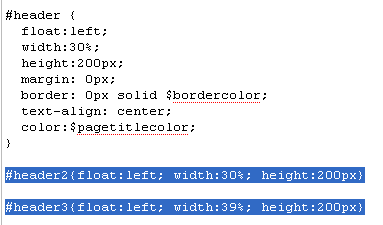
1.Log in to your dashboard--> layout- -> Edit HTML 2.Don't click on "Expand Widget Templates" 3.Scroll down to where you see like this code: #header…
1.Log in to your dashboard--> layout- -> Edit HTML 2.Don't click on "Expand Widget Templates" 3.Scroll down to where you see like this code: #header…
1.Log in to your dashboard--> layout- -> Edit HTML 2.Click on "Expand Widget Templates" 3.Scroll down to where you see this: <b:includable id='feedLinksBody' var='links'> <div…
1.Log in to your dashboard--> layout- -> Edit HTML 2.Click on "Expand Widget Templates" 3.Scroll down to where you see this: <b:section class='crosscol' id='crosscol' showaddelement='no'/>…
1.Log in to your dashboard--> layout- -> Edit HTML 2.Click on "Expand Widget Templates" 3.Scroll down to where you see this code: <b:loop values='data:labels' var='label'><li><b:if…
1.Log in to your dashboard--> layout- -> Edit HTML 2.Click on "Expand Widget Templates" 3.Scroll down to where you see this: <b:if cond='data:post.url'><a expr:href='data:post.url'><data:post.title/></a><b:else/><data:post.title/></b:if> 4.Now…
1.Log in to your blogger dashboard--> layout- -> Edit HTML 2.Scroll down to where you see like this code: a:link {color:$linkcolor;text-decoration:none;}a:visited {color:$visitedlinkcolor;text-decoration:none;}a:hover {color:$titlecolor;text-decoration:underline; 3.Now replace…
1.Log in to your dashboard--> layout- -> Edit HTML 2.Click on "Expand Widget Templates" 3.Scroll down to where you see this: <iframe allowtransparency='true' class='blogger-iframe-colorize' frameborder='0'…