1.Log in to your dashboard--> layout- -> Edit HTML 2.Click on "Expand Widget Templates" 3.Scroll down to where you see this: <iframe allowtransparency='true' class='blogger-iframe-colorize' frameborder='0'…
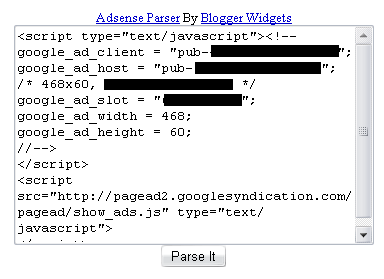
You must generate Parsed code for your adsense code because you cannot put adsense code directly in the xml.So parse it using Adsense Parser tools.This…
1.Log in to your dashboard--> layout- -> Edit HTML 2.Click on "Expand Widget Templates" 3.Scroll down to where you see this: <p><data:post.body/></p> 4.Copy below code…
1.Login to your dashboard--> layout- ->Page Elements 2.Click on 'Add a Gadget' on the sidebar. 3.Select 'HTML/Javascript' and add the code given below and click…
1.Login to your dashboard--> layout- ->Page Elements 2.Click on 'Add a Gadget'. 3.Select 'HTML/Javascript' and add the code given below and click save. <embed type="application/x-mplayer2"…
1.Login to your dashboard--> layout- ->Page Elements 2.Click on 'Add a Gadget' on the sidebar. 3.Select 'HTML/Javascript' and add the code given below and click…
This script will prompt the user to enter his/her name, and remember and display it whenever the user returns. 1.Login to your dashboard--> layout- ->Page…
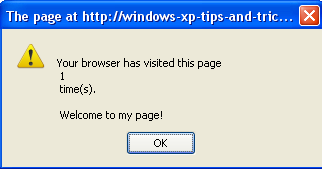
The below script uses cookies to display the number of times a (each) user has visited your page. 1.Login to your dashboard--> layout- ->Page Elements…