gadget
How To Add Status Bar Text with Blink Effect
1.Login to your blogger dashboard and go to Layout --> Page Elements. 2.Click on 'Add a Gadget' on the sidebar. 3.Select 'HTML/Javascript' and add the…
1.Login to your blogger dashboard and go to Layout --> Page Elements. 2.Click on 'Add a Gadget' on the sidebar. 3.Select 'HTML/Javascript' and add the…
1.Login to your blogger dashboard and go to Layout --> Page Elements. 2.Click on 'Add a Gadget' on the sidebar. 3.Select 'HTML/Javascript' and add the…
1.Login to your blogger dashboard--> layout- -> Edit HTML 2.Scroll down to where you see </head> tag . 3.Copy below code and paste it just…
1.Login to your blogger dashboard--> layout- -> Edit HTML 2.Click on "Expand Widget Templates" 3.Scroll down to where you see this: <data:post.body/> 4.Now Copy below…
It is very simple.Copy below code and paste it on your single.php file, within the loop: <a href="http://twitter.com/home?status=Currently reading <?php the_permalink(); ?>" title="Click to send…
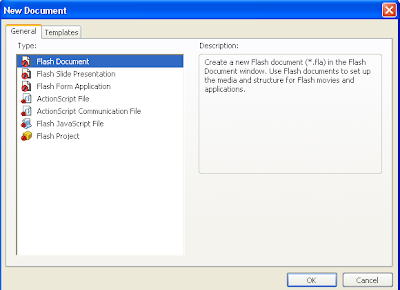
This flash tutorial explains to you how to create motion tween in flash.Follow the steps below to create motion tween in flash. Open a new…
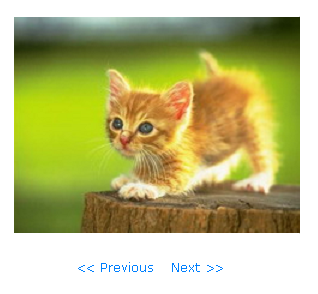
In this tutorial I am going to explain, how to create a simple slideshow using Mootools.If you like to add this slideshow to your website…
1.Login to your blogger dashboard--> layout- -> Edit HTML 2.Don't Click on "Expand Widget Templates" 3.Scroll down to where you see ]]></b:skin> tag: 4.Copy below…
1.Login to your blogger dashboard--> layout- -> Edit HTML 2.Don't Click on "Expand Widget Templates" 3.Scroll down to where you see ]]></b:skin> tag: 4.Copy below…
1.Login to your blogger dashboard--> layout- -> Edit HTML 2.Don't Click on "Expand Widget Templates" 3.Scroll down to where you see ]]></b:skin> tag: 4.Copy below…
1.Log in to your dashboard--> layout- -> Edit HTML 2.Click on "Expand Widget Templates" 3.Scroll down to where you see this: <p><data:post.body/></p> 4.Copy below code…
1.Log in to your dashboard--> layout- -> Edit HTML 2.Click on "Expand Widget Templates" 3.Scroll down to where you see this: <p><data:post.body/></p> 4.Copy below code…