Blogger
How To Create Jquery Read More-Expandable Post in Blogger
1.Login to your blogger dashboard--> layout- -> Edit HTML 2.Click on "Expand Widget Templates" 3.Scroll down to where you see </head> tag . 4.Copy below…
1.Login to your blogger dashboard--> layout- -> Edit HTML 2.Click on "Expand Widget Templates" 3.Scroll down to where you see </head> tag . 4.Copy below…
Here is the 1 st collection of Beautiful Sets of Social Bookmarking Icons for blogger and everyone.I found these beautiful templates while surfing the internet.…
When you add a image to your site, your code will look like this : <img src="https://1.bp.blogspot.com/_-j7_-ccACuU/SuE7fKWtmEI/AAAAAAAAA98/c62rbwEGnyM/33473.jpg" alt="leaves" height="300" width="400" /> Result: Now add style="opacity:0.4;filter:alpha(opacity=40)"…
You can easily prevent Google from indexing your pictures by doing below steps. 1.Login to your blogger dashboard--> layout- -> Edit HTML 2.Scroll down to…
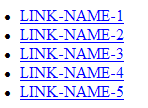
These are the different types of ordered link list in html.Use these different style to create different link list in your site. Disc Bullets Link…
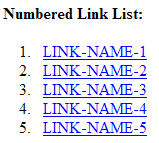
These are the different types of ordered link list in html.Use these different style to create different link list in your site. Numbered Link List…
Use below codes to add Popup Boxes to your blog post or as a page element. Alert Box Code: <script type="text/javascript">function show_alert(){alert("YOUR MESSAGE HERE!")}</script><input type="button"onclick="show_alert()"value="Show…
1.Login to your blogger dashboard--> layout- -> Edit HTML 2.Click on "Expand Widget Templates" 3.Scroll down to where you see <p><data:post.body/></p> . 4.Copy below code…
This tutorial will explain to you how to embed flash files into your blogger blog. Do you like to embed flash files into your blogger…
As a blogger when you want to host java script files, you want to get help from free .js hosting provider like google sites.But here…
If you like to add 'Make This Site Your Homepage' link to your site use the code below.Then your visitors can add your site as…
1.Login to your blogger dashboard and go to Layout --> Page Elements. 2.Click on 'Add a Gadget' on the sidebar. 3.Select 'HTML/Javascript' and add the…