Blogger
Google Scribe : Blogger New Feature
Google has introduced their new feature for Blogger called "Google Scribe". Google Scribe is text suggestions and auto complete feature, which is graduating from Google…
Google has introduced their new feature for Blogger called "Google Scribe". Google Scribe is text suggestions and auto complete feature, which is graduating from Google…
📌 Update: Google Friend Connect has been officially discontinued by Google since January 11, 2016, and no longer works on Blogger or any other platform.…
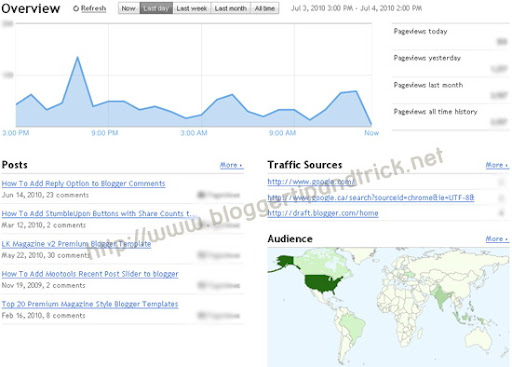
Few days ago, Blogger, has introduced a full-featured, real time stat service for your blogspot blog.The new Stats feature shows all traffic stats data of…
Now Google has introduced their Official Google Buzz Buttons.Buzz Buttons help people share stuff from your website in Google Buzz. You can add this buzz…
This tutorial explains how to add Google Buzz button to your blogspot blog.To add this,to your blog follow the steps below. 1.Log in to your…
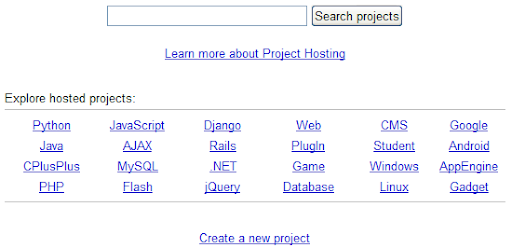
Do you want to host your external java script files in unlimited bandwidth?If you host your files in google code you can do it for…
This will help other bloggers to follow your blogspot blog easily.To add it under your blog post, follow the steps below. 1.Log in to your…
1.Login to your blogger dashboard--> layout- -> Edit HTML 2.Click on "Expand Widget Templates" 3.Scroll down to where you see <p><data:post.body/></p> . 4.Copy below code…
How to add the Google Translate Mini-Flags Widgets to blogger: 1.Login to your blogger dashboard-->Layout > Page Elements 2.Click on 'Add a Gadget' on the…
1.Log in to your dashboard--> layout- -> Edit HTML 2.Scroll down to where you see this: ]]></b:skin> 3.Now add below code just above ]]></b:skin> tag.…
1.Login to your dashboard--> layout- ->Page Elements 2.Click on 'Add a Gadget' on the sidebar. 3.Select 'HTML/Javascript' and add the code given below and click…
1.Login to your dashboard--> layout- ->Page Elements 2.Click on 'Add a Gadget' on the sidebar. 3.Select 'HTML/Javascript' and add the code given below and click…