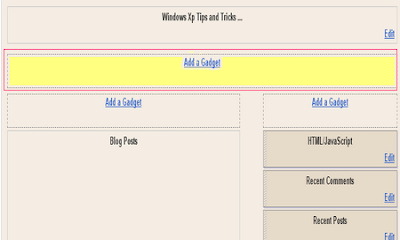
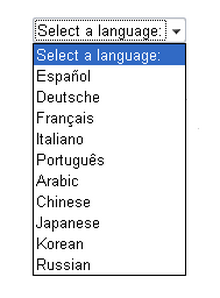
1.Login to blogger dashboard-->Layout > Page Elements 2.Click on 'Add a Gadget'. 3.Select 'HTML/Javascript' and add the code given below and click save. <script type="text/javascript">var…
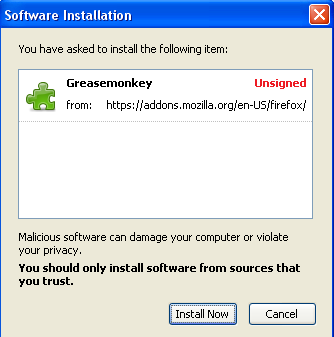
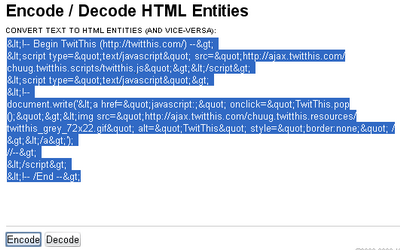
1.First install Greasemonkey script for your Firefox browser. 2.Now click here to install 'Blogger - HTML encode on post edit' to blogger. This adds a…
How to add the Google Translate Mini-Flags Widgets to blogger: 1.Login to your blogger dashboard-->Layout > Page Elements 2.Click on 'Add a Gadget' on the…
1.Login to blogger dashboard-->Layout > Page Elements 2.Click on 'Add a Gadget'. 3.Select 'HTML/Javascript' and add the code given below and click save. <iframe scrolling="no"…
1.Log in to your dashboard--> layout- -> Edit HTML 2.Click on "Expand Widget Templates" 3.Scroll down to where you see this: <p><data:post.body/></p> 4.Now copy below…
1.Log in to your dashboard--> layout- -> Edit HTML 2.Scroll down to where you see this: ]]></b:skin> 3.Now add below code just above ]]></b:skin> tag.…
1.Log in to your dashboard--> layout- -> Edit HTML 2.Click on "Expand Widget Templates" 3.Scroll down to where you see this: <b:section class='crosscol' id='crosscol' showaddelement='no'/>…
1.Log in to your dashboard--> layout- ->Page Elements 2.Click on 'Add a Gadget' on the sidebar. 3.Select 'HTML/Javascript' and add the code given below and…
1.Log in to your dashboard--> layout- ->Page Elements 2.Click on 'Add a Gadget' on the sidebar. 3.Select 'HTML/Javascript' and add the code given below and…