Blogger
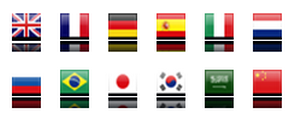
How To Add Google Translate Widget to blogger-2
1.Login to your dashboard--> layout- ->Page Elements 2.Click on 'Add a Gadget' on the sidebar. 3.Select 'HTML/Javascript' and add the code given below and click…
1.Login to your dashboard--> layout- ->Page Elements 2.Click on 'Add a Gadget' on the sidebar. 3.Select 'HTML/Javascript' and add the code given below and click…
1.Log in to your dashboard--> layout- -> Edit HTML 2.Scroll down to where you see like this code. <div id='sidebar-wrapper'> <b:section class='sidebar' id='sidebar' preferred='yes'><b:widget id='Feed2'…
1.Log in to your dashboard--> layout- -> Edit HTML 2.Scroll down to where you see like this code. <div id='main-wrapper'><b:section class='main' id='main' showaddelement='no'><b:widget id='Blog1' locked='true'…
1.Login to your dashboard--> layout- ->Page Elements 2.Click on 'Add a Gadget' on the sidebar. 3.Select 'HTML/Javascript' and add the code given below and click…
1.Log in to your dashboard--> layout- -> Edit HTML 2.Scroll down to where you see </head> tag. 3.Now add below code before </head> tag. <script…
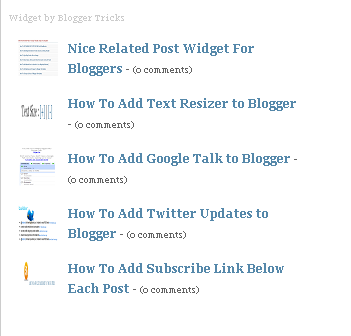
The Author of this nice widget is Bloggertricks.com. This is a great widget for bloggers. To add this nice widget to your blog follow this…
1.Log in to your dashboard--> layout- -> Edit HTML 2.Click on "Expand Widget Templates" 3.Scroll down to where you see </head> tag. 4.Now Add below…
1.Log in to your dashboard--> layout- -> Edit HTML 2.Click on "Expand Widget Templates" 3.Scroll down to where you see this : ]]></b:skin> 4.Add below…
1.Log in to your dashboard--> layout- -> Edit HTML 2.Click on "Expand Widget Templates" 3.Scroll down to where you see ]]> tag. 4.Now add below…
1.Login to your blogger dashboard--> layout- -> Edit HTML 2.Scroll down to where you see </head> tag . 3.Copy below code and paste it just…
1.Log in to your dashboard--> layout- -> Edit HTML 2.Click on "Expand Widget Templates" 3.Scroll down to where you see </head> tag. 4.Now add below…
Do you like to add a facebook widget to your blog?Then follow the step below. 1.Login to blogger dashboard-->Layout > Page Elements 2.Click on 'Add…