flash
How To Create Motion Tween: Flash Tutorials
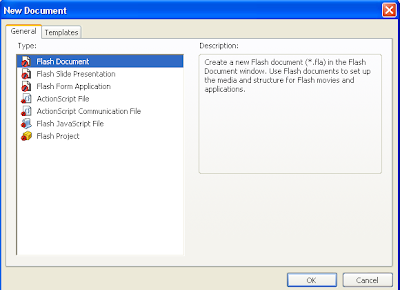
This flash tutorial explains to you how to create motion tween in flash.Follow the steps below to create motion tween in flash. Open a new…
This flash tutorial explains to you how to create motion tween in flash.Follow the steps below to create motion tween in flash. Open a new…
In this tutorial I am going to explain, how to create a simple slideshow using Mootools.If you like to add this slideshow to your website…
1.Login to your blogger dashboard--> layout- -> Edit HTML 2.Don't Click on "Expand Widget Templates" 3.Scroll down to where you see ]]></b:skin> tag: 4.Copy below…
1.Login to your blogger dashboard--> layout- -> Edit HTML 2.Don't Click on "Expand Widget Templates" 3.Scroll down to where you see ]]></b:skin> tag: 4.Copy below…
1.Login to your blogger dashboard--> layout- -> Edit HTML 2.Don't Click on "Expand Widget Templates" 3.Scroll down to where you see ]]></b:skin> tag: 4.Copy below…
1.Log in to your dashboard--> layout- -> Edit HTML 2.Click on "Expand Widget Templates" 3.Scroll down to where you see this: <p><data:post.body/></p> 4.Copy below code…
1.Log in to your dashboard--> layout- -> Edit HTML 2.Click on "Expand Widget Templates" 3.Scroll down to where you see this: <p><data:post.body/></p> 4.Copy below code…
1.Log in to your dashboard--> layout- -> Edit HTML 2.Click on "Expand Widget Templates" 3.Scroll down to where you see this: <p><data:post.body/></p> 4.Copy below code…
1.Log in to your dashboard--> layout- -> Edit HTML 2.Click on "Expand Widget Templates" 3.Scroll down to where you see this: <p><data:post.body/></p> 4.Copy below code…
1.Log in to your dashboard--> layout- -> Edit HTML 2.Click on "Expand Widget Templates" 3.Scroll down to where you see this: <p><data:post.body/></p> 4.Copy below code…
1.Log in to your dashboard--> layout- -> Edit HTML 2.Click on "Expand Widget Templates" 3.Scroll down to where you see this: <p><data:post.body/></p> 4.Copy below code…
1.Log in to your dashboard--> layout- -> Edit HTML 2.Click on "Expand Widget Templates" 3.Scroll down to where you see this: <p><data:post.body/></p> 4.Copy below code…