Blogger
How To Add jQuery Slide up and Slide down Effect to Blogger
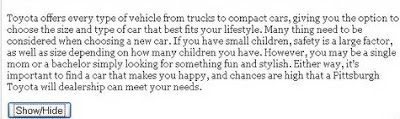
Follow the easy steps below to add Slide up and Slide down Effect to your blog. 1.Log in to your dashboard--> layout- ->Page Elements 2.Click…
Follow the easy steps below to add Slide up and Slide down Effect to your blog. 1.Log in to your dashboard--> layout- ->Page Elements 2.Click…
If you want to add hide and show effect to your blog, follow the steps below. 1.Log in to your dashboard--> layout- ->Page Elements 2.Click…
1.Log in to your dashboard--> layout- -> Edit HTML 2.Click on "Expand Widget Templates" 3.Scroll down to where you see this:- <b:includable id='status-message'><b:if cond='data:navMessage'><div class='status-msg-wrap'><div…
If you define a meta description tag for your home page it will be replicated for all your pages which would be taken as a…
If you buy your custom domain name (www URL) from GoDaddy.com follow the steps below to create a CNAME record for your custom domain. 1.Login…
Adding Icons on your Every Blogger Widget , you can give a good look to your blog.Follow these simple steps to do it. 1.Log in…
NOTE: Instead of This Post Please Read This Post !!! 1.Log in to your dashboard--> layout- -> Edit HTML 2.Scroll down to where you see…
1.Log in to your dashboard--> layout- -> Edit HTML 2.Click on "Expand Widget Templates" 3.Scroll down to where you see this: <p><data:post.body/></p> 4.Replace above code…
1.Log in to your dashboard--> layout- -> Edit HTML 2.Click on "Expand Widget Templates" 3.Scroll down to where you see this: <b:include data='post' name='post'/> 4.Replace…
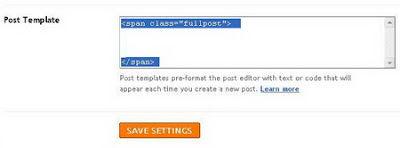
1.Log in to your dashboard--> layout- -> Edit HTML 2.Click on "Expand Widget Templates" 3.Scroll down to where you see this: <b:if cond='data:blog.pageType == "item"'><style>.fullpost{display:inline;}</style><p><data:post.body/></p>…
1.Log in to your dashboard--> layout- -> Edit HTML 2.Click on "Expand Widget Templates" 3.Scroll down to where you see this: <div class='post-body entry-content'><data:post.body/><div style='clear:…
This recent post widget is created by Beautiful Beta(http://beautifulbeta.blogspot.com/).Follow the steps given below to add this recent post widget to your blogger blog. 1.Log in…